
Cannabis-Harvest-Planning-Template
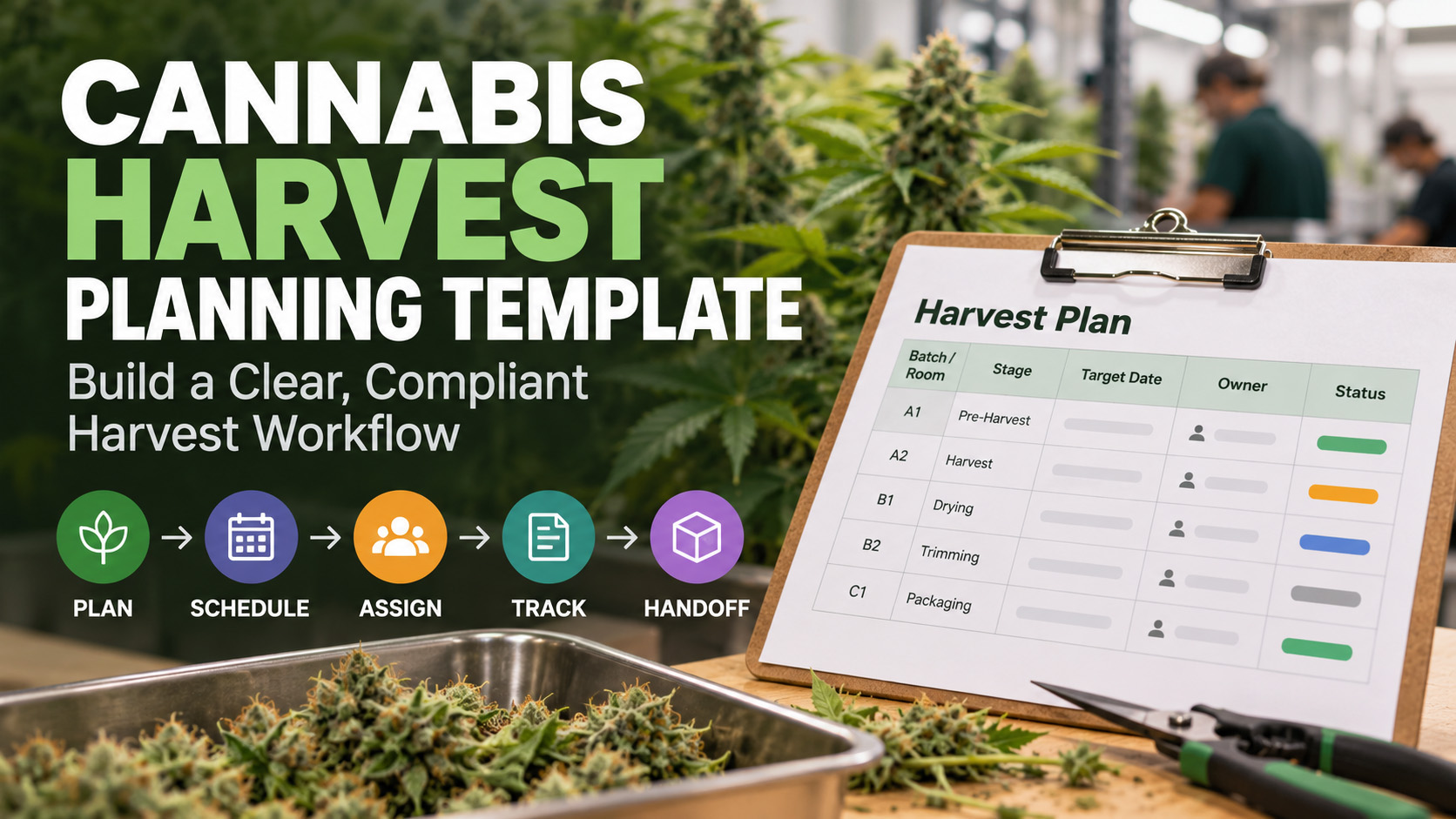
Cannabis Harvest Planning Template: Build a Clear, Compliant Harvest Workflow
A harvest can be on schedule and still be difficult to manage. When dates sit in one spreadsheet, task owners in messages, and tracking notes in another system, a cannabis harvest planning template needs to do more than mark cut dates. It should show how crop milestones, responsibilities, records, and handoffs fit together.
Harvest work involves more than the cultivation team. Timing, documentation, and downstream capacity all affect what happens next, from drying and trimming to manufacturing and distribution. A clear plan helps teams spot dependencies early, see who owns each task, and adjust when schedules change.
Use this guide to build a practical template for your rooms, batches, and team. It covers the core fields to include, how to map milestones and handoffs, and how to connect the plan with required tracking records without treating a template as a substitute for state-specific requirements. You’ll also learn when connected cultivation, compliance, and business workflows can provide more shared visibility than a standalone sheet.
Key Takeaways
- Use a cannabis harvest planning template to bring milestones, owners, records, and handoffs into one shared view.
- Build a copyable layout with identifiers, facility locations, stages, target dates, and status fields for each planned harvest unit.
- Schedule backward from the target harvest window using facility-defined milestones, and make schedule changes visible to affected teams.
- Choose spreadsheets, shared task tools, or cultivation software based on your team’s collaboration, traceability, and reporting needs.
- Pilot the workflow, assign clear ownership, and connect harvest planning with manufacturing and distribution handoffs as operations grow.
Table of Contents
- What a Cannabis Harvest Planning Template Should Actually Track
- Cannabis Harvest Planning Template: Essential Fields and Example Layout
- How to Schedule Harvests Backward and Manage Changes
- Spreadsheet or Cultivation Software: Which Harvest Planning Approach Fits?
- Put the Harvest Plan into Practice with Connected Operations
What a Cannabis Harvest Planning Template Should Actually Track
A cannabis harvest planning template is a shared schedule for harvest milestones, accountable owners, related records, and handoffs. It helps your team see what needs to happen, when it needs to happen, and who is responsible. Use it to coordinate work, not to replace required state tracking systems or official records. Shape the documentation and workflow around the requirements that apply to your operation.
A harvest plan serves a different purpose than a grow journal, facility checklist, or cultivation business plan. A journal captures observations, a checklist standardizes recurring tasks, and a business plan maps broader goals and resources. The harvest plan connects near-term crop decisions with the work and capacity that follow. Cultivation stages and methods vary, so Cannabis cultivation practices can provide background, but your template should reflect your facility’s actual crops, rooms, team, and processes.
Who uses the template and what decisions it supports
Cultivation managers can use the plan to coordinate rooms, batches, labor, and target harvest windows. A shared view makes it easier to spot conflicts, such as overlapping work that needs the same team or space. Compliance and operations teams can use milestones to prepare documentation and organize handoffs. Downstream teams can plan around expected material availability. Assign owners and set review intervals to fit your facility’s operating model, rather than assuming every team needs the same cadence.
The difference between a harvest plan and a grow log
The plan looks ahead: it tracks scheduled work, task ownership, and dependencies. A grow log looks back, recording observations or completed work, such as a dated note or task entry. The two work best together. Comparing planned milestones with actual records can help teams review delays, changes, and recurring bottlenecks. Keep the connection clear while maintaining required information in the appropriate official tracking and recordkeeping systems.
Build the plan around the decisions your team needs to make, not a generic list of fields. For each planned harvest unit, identify its room or location, current stage, target window, owner, and next handoff. Then tailor milestone names, review steps, and record references to your workflow and applicable requirements. A practical template gives cultivation, compliance, and operations teams a shared operational picture while preserving the distinct purpose of each official system and grow record.
Cannabis Harvest Planning Template: Essential Fields and Example Layout
A useful plan is easy to scan and detailed enough to guide the next action. At minimum, track each harvest unit’s identifier, location, stage, milestone dates, owner, status, dependencies, exceptions, and record references. Use one row per room, batch, or planned harvest unit. Add rows for individual milestones when tasks need different owners or dates.
Core planning fields for rooms, batches, and milestones
Keep identifiers stable and update schedule fields as plans change. A room or batch ID, for example, should remain distinct from its current forecast date or status. That way, the team can revise timing without losing track of the unit.
- Unit ID and location: Internal identifier, room, and relevant facility area.
- Stage and milestone: Current stage and the specific planned task or handoff.
- Dates: Target or forecast date and actual completion date, entered separately.
- Owner, status, and dependency: Responsible role, current progress, and any prerequisite task or decision.
- Exception and record reference: Briefly note schedule changes and their operational impact. Reference related internal documentation using approved identifiers.
Here’s a copyable structure. The sample values and dates are illustrative only, not cultivation recommendations.
Unit ID | Facility location | Stage | Milestone | Target date | Forecast date | Actual date | Owner role | Dependency | Status | Exception note | Record reference
Example only: H-042 | Room 2 | Planned | Harvest handoff | May 14, 2026 | May 16, 2026 | Blank | Cultivation lead | Readiness review | At risk | Forecast moved; review downstream capacity | Internal reference: EX-042
Keep the exception field factual and concise. A changed date may affect staffing, room availability, or a downstream team’s schedule. Note the impact and next action instead of leaving the information in a message thread.
Team, compliance, and handoff fields
Assign responsibility by role when that gives the team enough clarity, and include a review date so open items don’t disappear between check-ins. Avoid collecting personal details the plan doesn’t need. For tracking or internal records, use references that match your approved documentation process. The planning sheet supports coordination, not required state systems or official records.
Add readiness checks that fit your workflow, such as confirming post-harvest capacity, staffing, and the next internal handoff. These fields help cultivation, compliance, and operations teams surface constraints before they disrupt the schedule. If a standalone sheet no longer gives teams shared visibility, cultivation management software can connect planning with broader operational workflows. Explore connected cultivation management as one way to support that shift.
How to Schedule Harvests Backward and Manage Changes
A target harvest window is a planning anchor, not a promise. Work backward from it to identify the tasks, decisions, and handoffs that need to be ready, then assign an owner to each milestone. A cannabis harvest planning template makes dependencies visible so teams can surface capacity conflicts before they become last-minute surprises.
A repeatable backward-planning sequence
- Set the intended window. Record the target window for the room or batch and the assumptions behind it. Use assumptions validated by your operation, not universal crop durations or environmental targets.
- Map the preceding milestones. Working backward, list facility-defined steps that lead to the planned harvest and its next internal handoff. Follow documented procedures and note any required review or decision point.
- Assign owners and dependencies. Name a responsible role for each milestone, identify prerequisites, and clarify who must act when a dependency is incomplete. A date without an owner is difficult to manage.
- Check operational readiness. Review labor, room availability, and downstream capacity against the proposed window. If a handoff depends on post-harvest space or another team’s schedule, make that dependency explicit.
- Confirm and review. Treat the window as workable only after owners have reviewed their tasks and capacity. Set a review cadence that fits your facility, and revisit the plan when assumptions or conditions change.
Label facility-specific assumptions clearly. This helps the team distinguish local planning guidance from broadly applicable fields and prevents the template from being mistaken for a universal cultivation schedule.
Responding to delays without losing the record
Schedules change. Preserve the planning history instead of overwriting the original date every time a forecast shifts. Track the original forecast, revised forecast, actual date, reason for the change, and approver as separate fields. Reviewers can then see what the team expected, what changed, and what ultimately happened.
For example, if a readiness review shifts a planned handoff, record the new forecast and explain the operational effect, such as a staffing adjustment or a downstream capacity check. Flag changes that affect another room, team, record, or internal process, and notify the owners responsible for those dependencies. Keep explanations factual and concise.
Over time, compare planned dates with actual outcomes. Repeated shifts around a particular milestone may point to an assumption or capacity constraint worth examining. Use those patterns to refine planning and coordination, not to promise a specific yield or predict a guaranteed harvest date. A disciplined change record turns schedule variance into useful operational insight.

Spreadsheet or Cultivation Software: Which Harvest Planning Approach Fits?
The right planning method depends on how your team coordinates work, updates schedules, and connects harvest activity to records and downstream operations. A cannabis harvest planning template can be a practical starting point, but as rooms, owners, and handoffs increase, shared visibility can become harder to maintain in a standalone file. Compare the options against your actual workflow, not a one-size-fits-all rule.
| Approach | Collaboration and scale | Traceability and reporting | Best fit |
|---|---|---|---|
| Spreadsheet | Simple to adapt; multiple editors can create version conflicts without clear controls. | Relies on consistent updates, record references, and manual review. | A limited workflow with few users and manageable changes. |
| Shared task tool | Can make owners, due dates, and task status visible across a team. | Useful for task follow-up, though records may still sit elsewhere. | Teams that need stronger coordination but have straightforward record needs. |
| Cultivation platform | Can support connected cultivation workflows as rooms and teams grow. | May connect cultivation and compliance information with broader operational visibility, depending on the system and workflow. | Operations with multiple handoffs, linked records, or recurring reconciliation work. |
When a standalone template is enough
A spreadsheet may work well when a small group manages a limited workflow, ownership is clear, and updates are easy to keep current. Set controlled access, name one person to manage the working version, and define status terms so “ready,” “in progress,” and “blocked” mean the same thing to everyone. Keep record references aligned with facility procedures and applicable requirements. A planning sheet doesn’t replace required records or tracking systems.
When connected cultivation workflows offer more control
Consider a more connected approach when multiple rooms or teams share resources, handoffs are often missed, or staff repeatedly reconcile planning information with other records. Linking cultivation activity with compliance information and downstream manufacturing or distribution workflows can give teams a more joined-up view. Connected tools don’t remove the need to follow applicable procedures, but they can reduce reliance on disconnected updates.
PROTEUS420 brings cultivation management, manufacturing, distribution, and compliance integrations together within an integrated cannabis ERP platform. If your planning needs have outgrown a standalone file, explore connected cultivation and compliance workflows.
Put the Harvest Plan into Practice with Connected Operations
A well-designed plan earns its value through consistent use. Roll it out gradually, see where coordination breaks down, and refine it based on what teams actually need. This turns a cannabis harvest planning template into a repeatable part of daily operations, rather than another file that falls behind.
A practical rollout for the first planning cycle
Start with a representative room, batch, or planned harvest unit. Define who owns each milestone, what each status means, how often the plan is reviewed, and who can approve schedule changes. Keep the first cycle focused. The goal is to test whether the fields and handoffs make work clearer.
- Align the team: Show affected staff how to use identifiers, update forecast and actual dates, and document exceptions.
- Review exceptions: Discuss changes that affect another task, team, room, or handoff. Confirm that the right owners can see and act on them.
- Learn from the cycle: Compare planned and actual milestones, identify fields that were unclear or unused, and adjust the template before expanding it.
Keep change control simple and visible. Staff should know where the current plan lives, who maintains it, and how to record a revised forecast without erasing the original. Apply the same approach to each additional planning unit so the process can grow without creating competing versions.
Connecting harvest planning to broader business visibility
Harvest timing affects more than cultivation. Shared planning information can help teams coordinate expected material availability with manufacturing schedules and distribution handoffs. When a date changes, visibility across those workflows helps affected teams review their plans and surface capacity issues sooner.
PROTEUS420 provides an integrated cannabis ERP platform that combines cultivation, manufacturing, and distribution operations with integrations for METRC and state-specific compliance systems. Connected operational information supports coordination across these areas, while the specific records and processes an operation needs depend on its applicable requirements and procedures. Software can support workflow visibility, but it doesn’t guarantee compliance or replace required tracking systems.
If your harvest process now spans disconnected files, teams, and downstream handoffs, explore PROTEUS420’s integrated cannabis ERP platform for connected operational management.
Bring Every Harvest Handoff into View
A dependable harvest workflow starts with a shared plan: clear milestones, accountable owners, useful record references, and visible dependencies. A cannabis harvest planning template helps teams coordinate the work, while backward scheduling and change tracking make it easier to respond when forecasts shift. Keep the template aligned with facility procedures and applicable requirements, and compare planned milestones with actual outcomes to improve the next cycle.
As operations grow, disconnected schedules can make it harder to coordinate cultivation with manufacturing, distribution, and compliance workflows. PROTEUS420’s integrated cannabis ERP platform brings cultivation, manufacturing, distribution, and retail operations together, with compliance integrations for METRC, BioTrack, and state-specific systems. Real-time operational visibility and business intelligence can help teams make more informed decisions across the business, without replacing required tracking systems or procedures.
Ready to connect harvest planning with broader operations? Explore PROTEUS420’s integrated cannabis ERP platform. Build a clearer workflow one milestone at a time, and give your team a stronger foundation for the harvests ahead.
Frequently Asked Questions
What should a cannabis harvest planning template include?
A cannabis harvest planning template should track room or batch identifiers, planned milestones, forecast and actual dates, task owners, status, dependencies, exception notes, and references to relevant records. Adapt the fields to facility procedures and applicable state requirements. Keep the original plan, revised forecasts, and completed work distinct so the team can see what changed without confusing a projected date with a completed milestone.
How do you plan a cannabis harvest schedule?
Start with an operation-defined target harvest window, then work backward through the tasks and milestones that lead to it. Assign an owner and status to each item, identify prerequisites, and review labor, room availability, and downstream capacity. Treat dates as working forecasts, not fixed promises. If conditions change, revise the forecast while preserving the original date and recording actual outcomes for later review.
Can a spreadsheet be used for commercial cannabis harvest planning?
Yes. A spreadsheet can support a straightforward workflow when access, ownership, version control, and update routines are clear. Name a person to maintain the current version and define status terms consistently. As rooms, teams, and handoffs multiply, separate updates may become harder to reconcile. Compare that effort with the value of connected cultivation and compliance workflows, and keep required records in the appropriate tracking systems.
How often should a cannabis harvest plan be updated?
Set a review cadence that fits your facility’s workflow, and update the plan whenever a milestone, owner, dependency, or forecast changes. Keep planned dates, revised forecasts, and actual dates in separate fields. Regular reviews help teams identify capacity conflicts and affected handoffs earlier. There’s no universal daily or weekly schedule for every operation, so choose a cadence your team can follow consistently.
How do you track harvest delays in a planning template?
Keep the original forecast and record the revised forecast, actual date when known, responsible owner, reason for the change, and any required approval separately. Note which tasks, teams, or downstream handoffs are affected, then follow your facility’s change process. This creates a useful planning history without rewriting completed records. Review delay patterns over time to improve coordination, not to promise yield or predict guaranteed harvest dates.
Does a harvest planning template replace required state tracking systems?
No. A planning template organizes internal schedules and responsibilities; it doesn’t replace required state tracking systems or official records. Requirements can vary by jurisdiction and change, so follow current authoritative guidance and established procedures. PROTEUS420 offers integrations with METRC, BioTrack, and state-specific systems, but an integration doesn’t guarantee compliance. The applicable records and workflow depend on the operation and its jurisdiction.
When should a cannabis operator move from a template to cultivation software?
Consider cultivation software when multiple rooms, users, handoffs, or repeated record-reconciliation tasks make a standalone sheet difficult to maintain. Evaluate your needs for collaboration, traceability, reporting, and connections to other business operations instead of relying on a fixed room-count threshold. Connected cultivation and compliance tools can centralize operational information and support visibility across workflows. The right approach depends on how your team works and what it needs to coordinate.